

Updated
Short answer
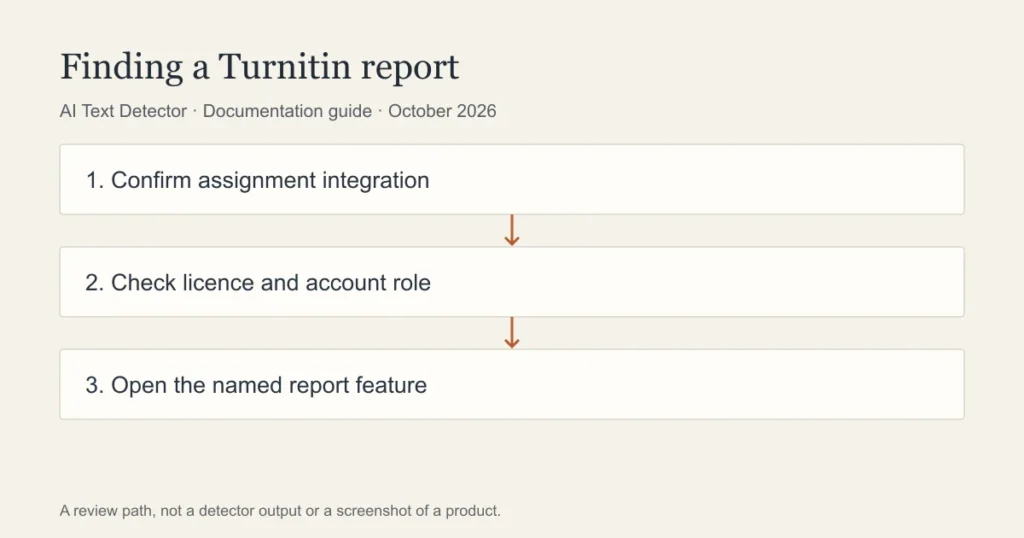
Turnitin AI reporting in an LMS depends on the institution licensing and enabling it. Instructors open a Turnitin report through the connected assignment workflow; a student’s similarity report is not necessarily the same view. Identify the integration and account role before following instructions or assuming an AI indicator is available.
| Platform | Starting point to inspect | Report to distinguish | What needs local verification |
|---|---|---|---|
| Canvas | Assignment submission or connected external tool | Turnitin report versus Canvas activity | Integration, account role and instructor route |
| Blackboard | Native or external-tool assignment workflow | SafeAssign versus Turnitin | Learn/Ultra experience and chosen service |
| Moodle | Configured assignment plugin or external activity | Plugin response versus course activity log | Plugin name, version and report permissions |
| Brightspace | Turnitin-enabled assignment | Similarity visibility versus AI report access | Enabled integration and release settings |
| Schoology | Turnitin LTI material where installed | External report versus Schoology grade | Current LTI installation and available reports |
Where does the AI-writing indicator appear?
An LMS can act as the route into a separate assessment service. The assignment, file transfer and report may look connected, but each layer has its own settings. Turnitin’s current instructor guide describes AI-writing information for accounts with the relevant capability enabled.
Opening a submission inside Canvas, Blackboard or Moodle does not by itself establish which Turnitin experience is being used. Institutions can use different integrations and generations of the report. A useful instruction names both the LMS and the Turnitin workflow, along with the role of the person opening it.
Before relying on a tutorial, ask whether it shows the same product and permissions as your course. An absent icon can mean a configuration difference, a processing issue or unavailable access. It should not be treated as a finding that the writing was human.
Can students access the same AI checker as instructors?
Do not assume that a student’s report contains every feature available to staff. Institutions can release similarity information or feedback without giving students the same AI-writing view. D2L support, for example, distinguishes the instructor AI indicator from student access to a similarity report.
If an instructor refers to an AI result, ask to see the relevant evidence and the policy being applied. The useful question is not simply whether students can log in to Turnitin, but whether that particular report is available in that assignment and role.
A student should not attempt to acquire an instructor account or use an unofficial access service. Ask about an authorised practice assignment or institutional writing support instead. A public detector is a separate service and cannot reveal the contents of the school’s report.
What should a teacher check before interpreting a result?
Confirm the submitted file and attempt. Then identify the feature that produced the information. Similarity, an AI assessment, writing-process information and an instructor’s comments should remain distinct in the explanation given to the student.
Read the passages in context. Consider quotations, discipline-specific language and whether the work includes the kind of prose the service is designed to assess. Ask for drafts or planning notes when appropriate under the institution’s process. The response should be tied to the stated course rules, not to an undocumented numerical cut-off.
Keep a record of the report and product version used in the review. A later change to the tool or a different checker may not reproduce the same output. That is a reason to preserve the original evidence rather than repeatedly rescanning the work.
How do you troubleshoot a missing report?
First check whether the assignment is actually connected to Turnitin. Next confirm licensing and whether AI reporting is enabled. Then inspect the submission status and any service message. A teacher or administrator with the appropriate permissions should resolve account and processing questions.
Do not treat a missing AI indicator as a zero score, a clean bill of authorship or a student-facing feature that must be unlocked. Unknown processing and confirmed findings are different states. Describe the state you can establish and avoid interpreting the absence of a report.
For students, save the submission receipt and ask the instructor about the expected feedback route. Re-uploading without guidance can create additional attempts and confusion about which version was assessed. Follow the assignment’s resubmission policy.
What can a free second check add?
A second checker can give another perspective on a draft before submission, subject to privacy and course rules. Walter Writes advertises a free detector, but it does not provide access to an institution’s Turnitin account or reproduce its settings.
This page is a cross-platform documentation map, not a completed test of five live LMS environments. The table deliberately identifies the settings that must be checked rather than inventing a universal sequence of clicks. A later walkthrough should show real authorised views and the date captured.
No detector score should be the only evidence used to decide an academic misconduct case. The writing, sources, drafts and applicable policy deserve a clear explanation alongside any tool output.
Frequently asked questions
Is Turnitin built into every Canvas course?
Do not assume that it is. An institution must have the relevant service and integration, and an assignment must use that workflow. Ask which report applies to your course rather than inferring it from the presence of Canvas.
Does seeing a similarity report mean I can see an AI score?
No. Similarity and AI-writing information are separate features with different availability and permissions. Check the named report and your account role. If an instructor raises a concern, request the relevant passages and an explanation of how the report was interpreted.
Will a free detector tell me what Turnitin will show?
No. A public checker cannot inspect your institution’s report. It can produce a separate estimate on the text you submit to it. That estimate should be interpreted on its own terms rather than treated as an institutional result.
Sources
- Turnitin instructor Standard assignment
- Turnitin Feedback Studio FAQ
- D2L enable Turnitin assignment integration
- PowerSchool Turnitin LTI app
Choose the relevant next step
To distinguish activity records from access to a writing report, read Canvas activity, copying and tabs, the learning-platform integration guide, and public Turnitin alternatives. Each guide separates documented features from an estimate or assumption about a writer.