

Updated
Short answer
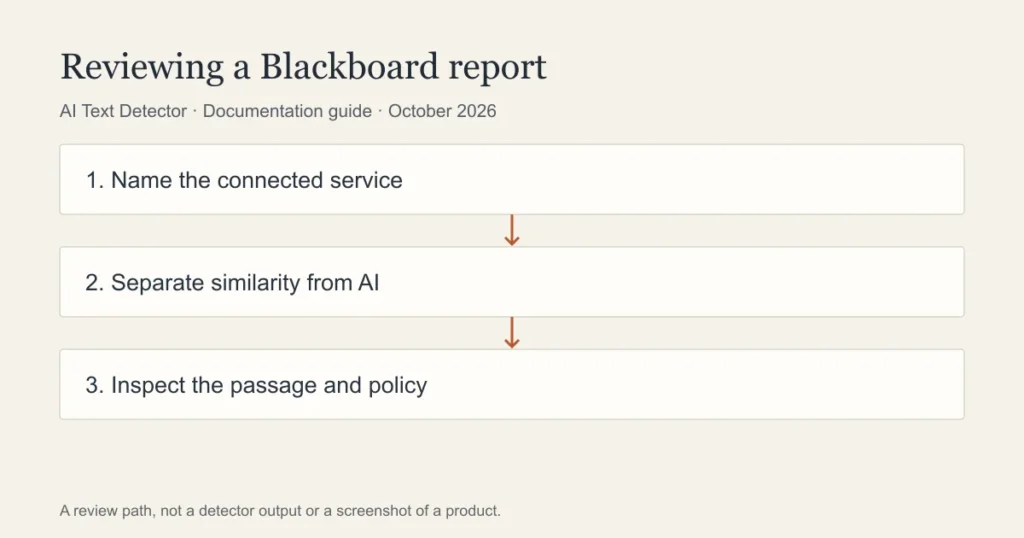
A Blackboard submission may be checked by a connected AI service, but SafeAssign’s source-matching report is a different tool from an AI-writing assessment. Find out which service your institution enabled and which report the instructor is viewing. A similarity percentage should never be relabelled as a probability that a student used AI.
| Report or feature | Question it addresses | Who controls availability | Main limitation |
|---|---|---|---|
| SafeAssign matching report | Does text match material in its comparison sources? | Institution and assignment settings | A match does not itself decide whether attribution is adequate |
| Connected AI-writing report | Does writing resemble patterns classified as AI? | Service licence and enabled integration | A classification is not proof of authorship |
| Assignment feedback | What concerns or improvements did the instructor identify? | Instructor release settings | Feedback may need clarification |
| Submission receipt | Which file or attempt was submitted? | Blackboard workflow | A receipt is not an authorship judgement |
Is SafeAssign an AI detector?
SafeAssign compares submitted work with other material to identify matching passages. That makes it a source-matching workflow. Whether text resembles AI writing is a different question and requires evidence about an AI-detection service rather than assumptions based on the word originality.
Blackboard’s own discussion of generative AI distinguishes anti-plagiarism tools from AI detectors. A reader should therefore ask which report is being discussed. A teacher may see matching sources, an external AI assessment or both, depending on the tools licensed and configured for that assignment.
The distinction also matters for the response. An uncited match calls for checking the source, quotation and citation. An AI flag calls for a careful review of the writing process and the limits of the assessment. Treating the two as interchangeable can send a student down the wrong route.
Can Blackboard detect ChatGPT?
The platform name alone is not enough to answer for a particular course. Ask whether the institution has enabled an AI service and whether it applies to that assignment. A general statement that a school uses Blackboard does not identify the checker, its supported inputs or the report available to staff.
Turnitin is one possible service in an institutional workflow. Its current instructor documentation describes an AI-writing column when the relevant capability is licensed and enabled. That does not prove that every Blackboard course has Turnitin or that a student can access the same report.
Avoid relying on a friend’s experience at another school. Even courses within one institution can differ. The authoritative starting points are the assignment instructions, the named service in the submission workflow and the institution’s published policy.
What changes between Blackboard Learn and Ultra?
Interface names, assignment views and available integrations can differ. A step-by-step guide should name the experience it covers and show the actual route the instructor uses. A screenshot from a different version may be useful background but is not a reliable instruction for a student’s current course.
The right administrative questions are concrete: which integration is installed, whether students submit through a native assignment or an external tool, and which reports are released to students. Do not infer those settings from a marketing description of Blackboard or an old tutorial.
This guide does not claim to have inspected your institution’s Learn or Ultra environment. The report table is a way to ask better questions, not a claim that all four entries appear together in a single interface.
What can a student see?
A student’s view is not necessarily the instructor’s view. Seeing a similarity report or released feedback does not establish access to an AI indicator. If a concern is raised, ask the instructor which report informed it and request the relevant passages and explanation.
Keep the submitted file, confirmation receipt and earlier drafts. If your essay used quotations, compare any matches with the source and the assignment’s citation requirements. If the concern is AI authorship, be ready to explain how you developed the argument and selected evidence.
A productive conversation focuses on specific passages. Repeatedly uploading the same essay to unrelated checkers is unlikely to answer what happened in the institutional system and may expose the work to additional providers.
A cautious pre-submission workflow
Begin with the course’s rules about AI assistance. Review the argument, quotations and references yourself. Preserve the working document and your notes. If you choose a consumer detector, first check that uploading the material is permitted and appropriate for its privacy terms.
Walter Writes offers a free AI detector as a possible second check. It does not reproduce Blackboard’s configuration or the report from any institutional service. Compare a concern with your drafts rather than presenting a consumer score as clearance to submit.
The method behind this page is a review of Blackboard and Turnitin documentation. We did not run a classroom detection experiment or compare accuracy. Institution-specific screenshots and student permissions remain matters to verify with an authorised account.
Frequently asked questions
Is a SafeAssign percentage an AI score?
No. A SafeAssign matching report concerns overlap with source material. Do not convert it into an AI authorship probability. Review the matched passage, its source and the citation before drawing a conclusion about the writing.
Will every Blackboard assignment check for AI?
You cannot tell from the platform name alone. Availability depends on the service and assignment settings used by the institution. Check the assignment instructions or ask the instructor to identify the report rather than relying on another school’s setup.
Can I use a free checker to predict Blackboard’s result?
No consumer checker can establish the result of an unknown institutional configuration. A free check may prompt a review of a passage, but it should not be presented as proof of authorship or a prediction of another service’s assessment.
Sources
Choose the relevant next step
For the integration and institutional review involved, read Turnitin reports inside learning platforms, the learning-platform integration guide, and the educator guide. Each guide separates documented features from an estimate or assumption about a writer.