
Updated
Short answer
A Word document is not an AI-authorship report. Editing suggestions, source matching, Copilot assistance and version history answer different questions. If someone says Word detected AI, ask which feature or add-in produced the claim and inspect its report before drawing a conclusion.
| Feature or evidence | Useful question | Limit |
|---|---|---|
| Editing suggestions | Can the wording be clearer or more consistent? | Does not establish who composed it |
| Source comparison | Does wording match material in the service? | A match is not an AI verdict |
| Version history | How did saved versions change? | Does not capture every action in other tools |
| External detector add-in | What estimate did that service return? | Needs the service’s own limitations |
| Writer’s notes and sources | How did the argument develop? | Must be interpreted in context |
Identify the feature before interpreting a label
Word can be used with different account types, organisational settings and add-ins. A statement about what happened in one installation does not establish every other installation’s behaviour. The first question is which feature generated the information: an editing suggestion, an external report, a source comparison or an assistant response.
Those features perform different tasks. A spelling or style suggestion concerns how a passage is written. A source match concerns overlap with available material. An AI-writing assessment estimates patterns in text. None should be relabelled as another merely because the output appears while a document is open in Word.
Copilot assistance also needs to be described in terms of the actual workflow. The existence of an assistant does not mean a document carries a complete record of every tool used to compose it. Ask for the relevant feature and evidence rather than making a universal claim from a product name.
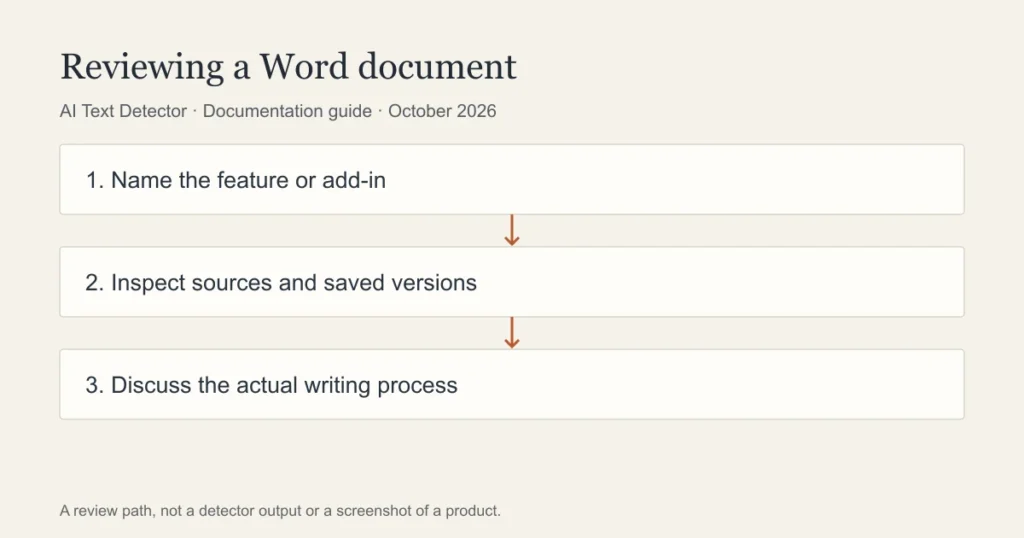
How to inspect version history
Microsoft documents version history for files in supported cloud locations. Begin by checking where the document is stored and which account is being used. A local file and an organisation-managed cloud document may not expose the same history. Follow the current support instructions for the actual storage environment.
Open an earlier version through the supported interface and compare substantive changes. Look at how an outline became an argument or how a source was incorporated. Do not restore or overwrite a file simply to investigate it; preserve the current work and use the viewing workflow where available.
History can support an explanation of the writing process. It cannot establish that every sentence was typed directly into the document, and the absence of a long history does not prove misconduct. A writer may have drafted elsewhere or worked offline. Ask about that context.
How to check a Word document with an external detector
First decide whether the upload is permitted. A document may contain student information, client material or unpublished research. Review the relevant policy before sending it to another service. Share only the material necessary for an authorised check and avoid including identifying details unnecessarily.
Read the detector’s input rules and identify what will actually be analysed. A text box may accept more content than the service processes. Do not present a partial passage check as a validated assessment of a whole document. Retain the exact passage if the result will be discussed later.
Read the output as an estimate. Inspect the flagged wording and the sources behind the argument. If a result is consequential, the reviewer should explain the evidence and allow the writer to respond. A percentage alone does not describe how the document was produced.
What if a teacher or editor questions the document?
Ask which passage raised the concern and which feature produced the report. Save the submitted version, source notes and any existing drafts. Explain where you worked and which permitted assistance you used. A concrete account of the process is more useful than an argument about whether a platform is always right.
If the concern involves a source match, review the source and attribution. If it involves an AI estimate, ask how the service’s limitations were considered. If it concerns the use of an assistant, refer to the applicable policy and your actual use. Different concerns deserve different evidence.
Do not manufacture a history or alter records to satisfy a request. Preserve what exists and explain its limits. A fair review should not depend on a hidden assumption that every writer uses the same drafting application or saves versions in the same way.
Where a second checker fits
Walter Writes advertises a free detector. It can provide a separate estimate on text you are authorised to submit, but it cannot reveal a private school report or reconstruct a Word document’s complete history. Its output should be kept separate from the evidence already in the document.
This article does not report a completed Word-account walkthrough. Follow Microsoft’s current instructions for the storage environment and account you actually use, rather than assuming a menu sequence applies everywhere.
A document feature is evidence only of what it records. Improve the writing for clarity, sound sources and the writer’s own meaning rather than treating a detector label as the editing goal.
Frequently asked questions
Does Copilot prove a Word document was written by AI?
The presence of an assistant does not establish how a particular document was composed. Review the actual use, available records and applicable policy. Do not infer complete authorship from a product being available in an account.
Does version history prove every sentence is human?
No. It can show saved changes in supported environments, but it is not a complete record of every action in other applications. Use it to support a concrete explanation of development rather than as an authorship certificate.
Can I check a Word document for free?
Public free detectors exist, but check privacy, input limits and permission before uploading. Their output is a separate estimate, not a proof of authorship or a prediction of an institution’s report.
Sources
Choose the relevant next step
For saved versions and a pre-submission review, consult Google Docs version history, methods for reviewing writing concerns, and pre-submission guidance for students. Each guide separates documented features from an estimate or assumption about a writer.