
Updated
Short answer
Canvas quiz logs can record a student leaving and returning to a quiz page, but that is not a recording of everything on the device. Instructure warns against using quiz logs as proof of academic misconduct. Copying, pasting, other tabs and proctoring tools need to be considered separately, with the actual course setup in view.
| Situation | What may be visible | What it does not establish |
|---|---|---|
| Classic Quiz activity | Timestamped quiz statuses | The contents of another application |
| Leaving a quiz page | A stopped-viewing or resumed event where supported | Why focus changed or what happened elsewhere |
| Answer changes | Saved answer events | Whether each event was a deliberate edit |
| Text pasted into an answer | The submitted answer itself | The complete clipboard history or source of the text |
| Separate proctoring service | Records supplied by that service | Capabilities of Canvas alone |
What does a Canvas quiz log actually show?
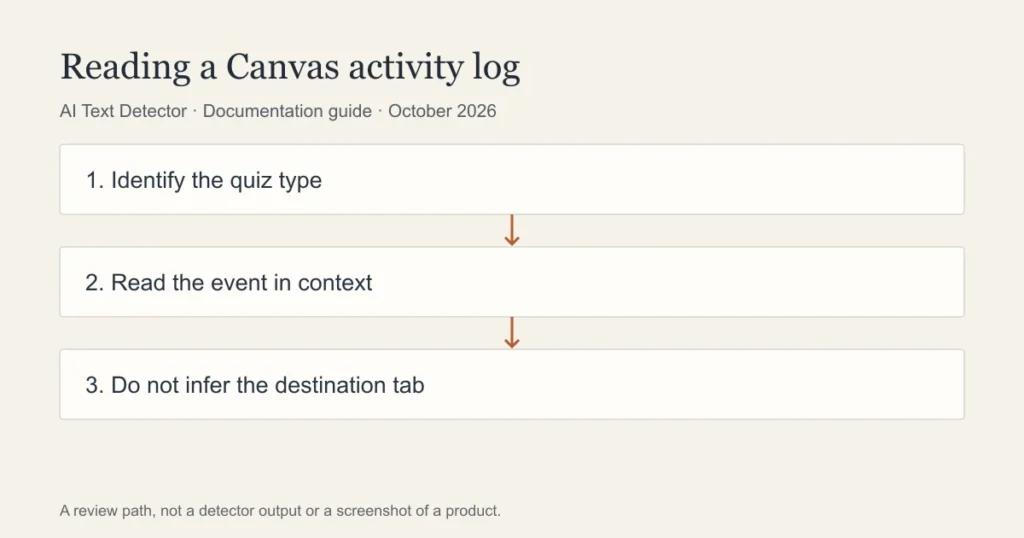
An activity log is a record of events associated with a quiz attempt. It is not a screen recording or a transcript of every action on a student’s computer. The event described by a log entry should be kept separate from the explanation someone proposes for it.
Instructure’s Classic Quizzes guide describes statuses for viewing a question, answering, stopping viewing the quiz page and resuming. The guide also explains that autosave can affect recorded answers. That makes the surrounding context important: a timestamp alone does not establish what a student intended or which material they saw.
A teacher investigating a technical problem should identify the attempt, quiz type and relevant time period. If the issue concerns academic integrity, use the institution’s process. The student should be able to explain the circumstances and provide their own evidence rather than being asked to disprove an interpretation of a log.
Can Canvas see if you copy and paste?
Do not confuse the ability to receive submitted text with the ability to inspect a device’s clipboard. A pasted answer becomes part of the work the instructor can read. Its wording or sources may raise questions, but that is a different claim from saying that the core quiz log records every copy-and-paste action.
A course can add software with additional permissions. Read the actual assessment instructions and privacy notice. If a tool records a writing timeline or restricts browser functions, identify that tool by name and check its documentation. Avoid treating all services accessed through Canvas as though they were Canvas features.
For students, keep notes, source links and earlier drafts. If you pasted your own work from a document, being able to show that document and its development is more useful than a blanket assertion about what a platform can or cannot observe.
Does Canvas track tabs or split screen?
Leaving a quiz page and identifying a particular destination are different things. A stopped-viewing event should not be rewritten as a claim that Canvas knows which website was opened. Likewise, a split-screen arrangement describes how a device is used, not a specific report field in the cited Classic Quizzes guide.
Notifications, connectivity, accessibility tools and browser behaviour can complicate the interpretation of activity. Those possibilities are reasons to seek context, not explanations that automatically prove or disprove any case. The official guidance is the more important starting point: quiz logs are not designed to validate academic integrity.
An instructor should explain which event raised a concern and what independent evidence supports their interpretation. A student can ask for the relevant log excerpt and the policy being applied. Neither side benefits from claiming that an event records more than the documentation says.
Classic Quizzes, New Quizzes and proctoring are different systems
A walkthrough for Classic Quizzes cannot be assumed to describe New Quizzes. The user interface, report fields and enabled features may differ. Capture the product name and the current guide when documenting a course. This page does not claim to have run either quiz type in a live class.
Proctoring and lockdown products can add restrictions or records beyond the standard Canvas workflow. Their capabilities depend on the product, version, permissions and institutional settings. The fact that a course uses one does not mean every Canvas course uses it.
Before an assessment, ask the instructor about required software, permitted resources and accessibility arrangements. This is about understanding the assessment requirements, not finding a way around them. If a technical problem occurs, report it promptly and retain the information needed to investigate it.
How should a log be used in a fair review?
Start with a narrowly defined question. For example, whether a submission saved successfully is easier to investigate than whether a student was honest. Match each conclusion to the kind of evidence actually available. A log can help reconstruct a technical sequence without resolving authorship.
For writing concerns, review the submitted passage alongside planning notes, drafts, cited sources and a discussion of the argument. A separate AI score would add another estimate, not turn the quiz log into direct evidence of AI use. Keep the platform question distinct from the writing question.
Our method for this guide is documentation review. The table maps documented events to conclusions that those events cannot establish on their own. There is no original surveillance test, hidden-device experiment or claimed detection rate behind it.
Frequently asked questions
Can Canvas see which other tab I opened?
The cited quiz-log guide documents quiz activity and leaving or resuming the quiz page. It does not make that log a record of the contents of every other tab. Separate proctoring software may have additional capabilities, which must be checked against its own documentation.
Does leaving the quiz page prove academic misconduct?
No. Instructure explicitly warns against using quiz logs to validate academic integrity. A concern needs context and the institution’s review process. Identify the recorded event and any corroborating evidence rather than treating the event label as a verdict.
Is this the same as Canvas detecting AI writing?
No. Activity logging and AI text classification answer different questions. An integrated writing service may produce an AI report, while a quiz log records activity associated with an attempt. Neither should be described as proof of authorship by itself.
Sources
Choose the relevant next step
Keep activity logs separate from writing reports by consulting Canvas AI-reporting questions, Turnitin reports inside learning platforms, and methods for reviewing writing concerns. Each guide separates documented features from an estimate or assumption about a writer.