

Updated
Short answer
A Brightspace assignment can use a Turnitin integration, but the platform name alone does not establish whether AI reporting is available. D2L documents assignment-level Turnitin settings. Identify the connected service, licensed feature and account role before describing a report as an AI assessment.
| Setting or view | What to establish | Why it matters |
|---|---|---|
| Assignment integration | Whether Turnitin is enabled for this task | Other assignments may use a different workflow |
| Institutional licence | Which reporting features are available | An integration does not imply every feature |
| Instructor report | The exact similarity or AI feature shown | Percentages represent different measurements |
| Student view | Which feedback is released to the student | Instructor and student permissions can differ |
| Processing state | Whether a report completed successfully | No report is not a clean authorship finding |
Check the assignment before drawing a conclusion
An institution can configure different workflows for different assignments. The presence of Brightspace in a course does not tell a student which external service will process a particular submission. The relevant evidence is the assignment configuration and the report generated for that submission.
D2L’s documentation describes enabling Turnitin for an assignment. That is a practical starting point for a teacher or administrator. It should not be expanded into a claim that every Brightspace upload receives an AI-writing assessment. Similarity, grading and AI features need to be identified separately.
If a teacher raises an AI concern, ask for the named report and the relevant passage. A statement that the learning platform detected AI leaves too much unexplained. The institution should be able to explain which service ran and what the output means.
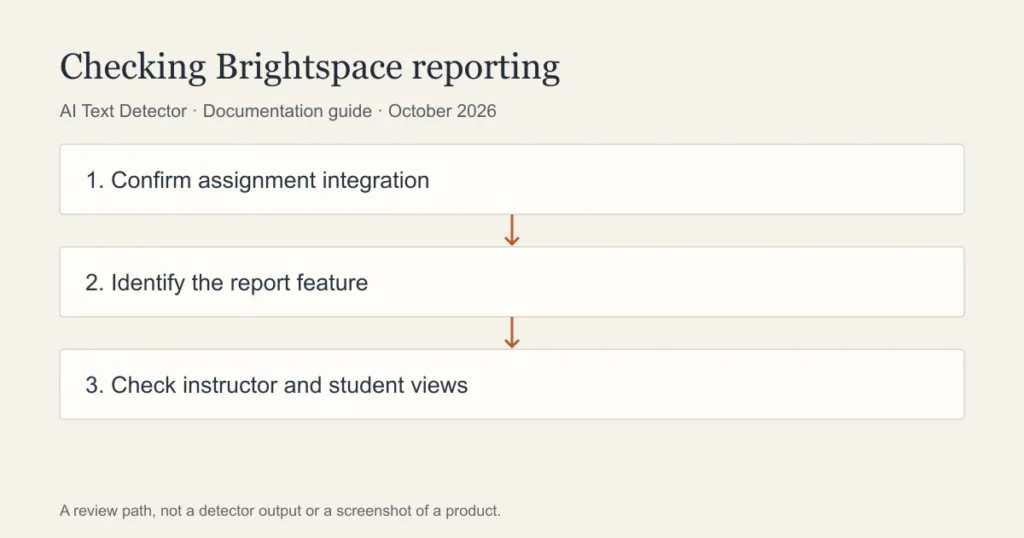
Where should an instructor look?
Begin in the assignment settings using the current D2L guide for your environment. Confirm the Turnitin integration and the type of report expected. Then open the submitted work through the supported instructor workflow. Menu names and permissions can differ across institutional configurations.
If an AI feature is unavailable, consult the administrator responsible for the service. Licensing and reporting questions are not resolved by repeatedly resubmitting a student’s file. Keep the original submission and its processing information available for troubleshooting.
Confirm the assignment and report type in an authorised account. A guide for a different reporting workflow may not describe the feature you are using. Ask the administrator to resolve unclear permissions before interpreting an unavailable report.
Why students may see different information
A student-facing similarity report and an instructor-facing AI indicator are different views. D2L’s support discussion about Turnitin report access distinguishes those concerns. Do not promise a student that a particular number will appear simply because they can open a similarity report.
If you are a student, save the submission receipt and follow the assignment’s feedback instructions. Ask your teacher which report is being discussed. If you cannot access it, request the relevant excerpt through the school’s review process rather than trying to unlock a private view with a consumer service.
A missing student view does not prove that no instructor review occurred. Equally, the existence of an integration does not prove that an AI report was generated. Describe the state you can establish and ask for the missing information.
Review the writing alongside the report
A report should direct attention to specific material. Read that material in context, check its sources and compare it with the assignment requirements. Formulaic wording, quotations and discipline-specific language deserve an explanation rather than an automatic conclusion.
If a concern remains, give the writer a clear opportunity to explain their process. Drafts, planning notes and source records may be relevant under the institution’s procedure. Avoid inventing a new evidence requirement after submission or assuming that one writing workflow fits every student.
Teachers should document the feature used and the reasoning behind a concern. A tool output should not stand in for the explanation owed to a student. An absence of flagged material should not be presented as proof of authorship either.
Can a second detector help?
Walter Writes offers a free detector, but it cannot open the private report attached to a Brightspace assignment. Its output would be a separate estimate on the text supplied to it. Use an external service only when the school’s data-handling and assessment rules permit the upload.
The goal of a second check should be to identify a passage worth reviewing, not to find a score that overrides another product. Two services can disagree because their models and supported inputs differ. Neither result establishes what happened during composition.
This guide maps the questions an institution should answer. It does not report a test of D2L’s detection accuracy or a completed institutional setup. A Brightspace label alone is not evidence about who wrote an assignment.
Frequently asked questions
Does D2L use Turnitin automatically?
Do not assume that every assignment uses it. Check the institution’s integration and the specific assignment settings. A platform-level relationship does not establish the report generated for an individual submission.
Can students see the Turnitin AI indicator?
Student and instructor report access can differ. Ask which report is released for the assignment and request an explanation of any concern. A visible similarity result does not establish access to an AI-writing indicator.
Will a free AI detector predict my Brightspace result?
No. It provides a separate estimate and cannot inspect institutional settings. Preserve your drafts and sources, follow the assignment policy and discuss the actual report with your teacher.
Sources
- D2L enable Turnitin assignment integration
- D2L support: AI report visibility
- Turnitin Feedback Studio FAQ
Choose the relevant next step
For integration questions and the educator review process, consult Turnitin reports inside learning platforms, the learning-platform integration guide, and the educator guide. Each guide separates documented features from an estimate or assumption about a writer.