
Updated
Short answer
Yes. Writable‘s current help documentation describes AI detection powered by Turnitin, with a 300-word minimum for processing. Older descriptions of a Copyleaks workflow do not describe the current documented integration. Teachers still need to inspect the report and the submission before interpreting an indicator.
| Visible state | Documented meaning to check | Teacher action |
|---|---|---|
| Dash in the AI column | A processing or availability state requiring inspection | Check the submission and service status |
| Green indicator | Can include no flag or text too short to process | Hover or open details before interpreting |
| Blue indicator | Suspected AI writing with report information | Open the report and read the passages |
| Short submission | May not meet the documented processing minimum | Do not label it human-written from colour alone |
| Report view | Information from the connected detection service | Review limitations and follow school policy |
Which detector does Writable use now?
The provider name matters because a product can change integrations. Writable’s current AI-detection help page names Turnitin. A search result or review based on an earlier school year may name a different service. Check the current help article and the interface in your account before using an older tutorial.
We use the current documentation to explain the workflow, not to claim we tested its performance. No known-authorship classroom dataset was submitted for this article. The provider’s identity is a product fact; it is not evidence that a particular student used AI.
If your account does not match the documented workflow, ask your school’s administrator or Writable support. Account features and release timing can affect what appears. Do not invent a reason for a missing button or tell students that every school sees identical reports.
Why a green indicator needs context
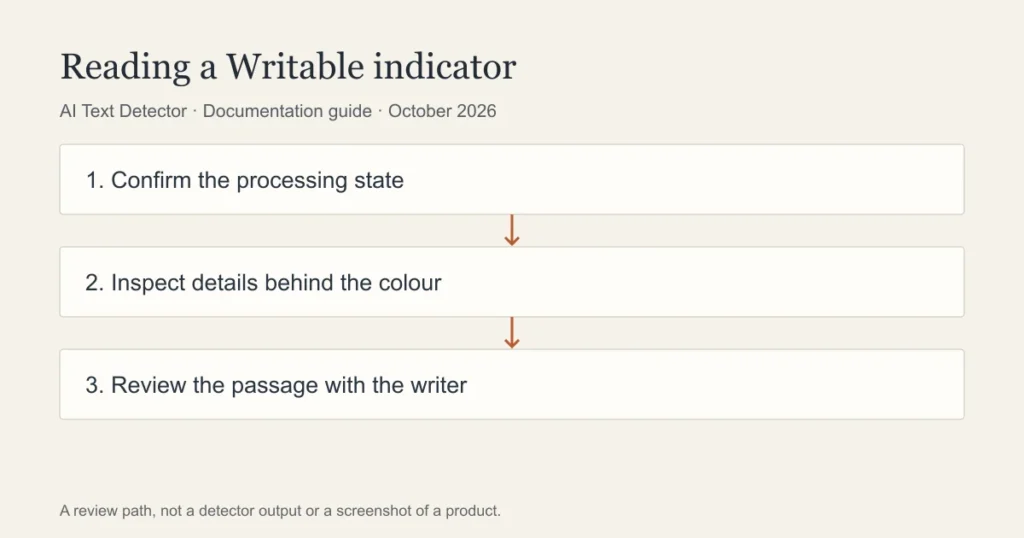
A colour is a compact interface signal. It is not a complete explanation of how a submission was assessed. The help documentation distinguishes a result from a text that is too short to process. Hover text and report details matter because two submissions can appear similar in a dashboard while representing different states.
For a teacher, the first task is to establish whether processing occurred. If it did not, record that limitation. If it did, read the relevant report rather than treating a colour as an authorship certificate. A missing assessment and an assessment that found no suspected passage are different observations.
Explain those distinctions to students when discussing a concern. A student should not be told that the system proved authorship, either human or AI, based on a compact dashboard icon. Use the writing and the report details together.
A teacher workflow for a suspected passage
Open the submitted work and confirm that it is the version under review. Read the assignment instructions and any permitted-use policy. Then inspect the report passages in their surrounding context. A short excerpt may look formulaic because the task required a fixed format or supplied a sentence starter.
Review the student’s sources and development where the institution’s process allows it. Ask how a substantive part of the argument was developed. Notes and drafts may help explain that process, but they should not become an improvised requirement that was never communicated to the class.
Record the report and the explanation given to the student. If the concern proceeds to a formal review, follow the school’s established process. Avoid setting a private numerical cut-off or treating a detector as the sole decision-maker.
What should a student ask about a Writable flag?
Ask which passage raised the concern and whether the report was processed successfully. Request an explanation of the relevant assignment policy. If you used permitted assistance, describe what it did and what work you completed yourself. Specific information is more useful than a dispute about whether any detector is always right or always wrong.
Keep the drafts, planning notes and sources you already have. Do not manufacture a writing history after a concern is raised. If your draft began in another application, explain that workflow and provide appropriate records through the school’s process.
A public checker will not reveal the teacher’s private Writable report. Repeatedly testing a passage until it receives a preferred label does not explain how the original work was produced. Focus on the writing and the evidence relevant to the assignment.
What a second opinion can and cannot add
Walter Writes advertises a free AI detector. Its output would be a separate estimate, not a reproduction of Writable’s Turnitin-powered workflow. Check permission before uploading school work to another provider and avoid sending personal information unnecessarily.
A second estimate may help identify a passage to discuss, but disagreement between products is not proof that either result is correct. Agreement is not proof of misconduct either. The useful next step is a review of the text, sources and writing process.
This guide is based on current documentation rather than a completed classroom walkthrough. Check the detailed state in your own account and ask the administrator about differences from the help documentation. A detector flag can start a conversation; it should not end the investigation.
Frequently asked questions
Does Writable still use Copyleaks?
The current help documentation we checked names Turnitin. Older tutorials may describe a previous integration. Confirm the service shown in your institution’s current account before following historical instructions.
Does green mean the work is definitely human?
No. Inspect the detailed state, including whether the submission was eligible for processing. A dashboard colour does not prove who wrote the text. Teachers should read the report and the work before interpreting it.
Can students use a free checker to see their Writable result?
A separate public checker does not provide access to the institution’s Writable report. Ask the teacher about the report and review process. Any external upload must also comply with school privacy and assessment rules.
Sources
Choose the relevant next step
For the report type and a fair response to a concern, consult Turnitin reports inside learning platforms, a teacher review workflow, and methods for reviewing writing concerns. Each guide separates documented features from an estimate or assumption about a writer.