Updated
Start here: Use Walter Writes AI for 2 separate jobs: check an unchanged passage with its detector, or revise wording with its humanizer. The official Walter website presents both products, checked November 9, 2026. Work with text you may share.
This guide explains how to use Walter Writes AI while preserving the original, reviewing accepted changes and keeping useful result records. Walter’s advertised 300-word humanizer trial is separate from its free detector.
| What you want to do | Start with | Keep a record of |
|---|---|---|
| Check a passage | Walter AI detector | Exact input, date, score and label |
| Improve wording | Walter humanizer | Original, settings and accepted revision |
| Evaluate the service | A representative non-sensitive draft | Meaning, citation and editing checks |
| Resolve an error | Official help route | Product, time, error and affected action |
Choose checking or rewriting first
The official Walter Writes website distinguishes its humanizer from its detector. Choose the task before you paste text. If you want an estimate about an unchanged passage, start with the detector. If you want help revising phrasing or structure, work with the humanizer and retain the original for comparison.
Combining both tasks can be convenient, but each result needs its own interpretation. A revision is a proposed edit, while a detector result is an automated assessment. The useful outcome is a document that satisfies the brief and preserves the author’s meaning, with any checks recorded accurately.
For the overall product decision, read our Walter Writes review. For a deeper explanation of the score, see the Walter detector review.
Prepare a draft you can safely share
Save a local original before opening a writing tool. Include the date or revision name in your file so that you can distinguish the text you started with from changes made later. For collaborative work, follow the team’s existing version-control or document-history practice.
Use material you own or are authorised to submit. For an initial evaluation, choose a non-sensitive passage representative of your work. Read Walter’s privacy policy before sharing confidential material and obtain any organisation-specific approvals required by your workflow.
Decide which details must remain exact. Mark names, quotations, figures, technical terms and citations in your own review notes. These become the checks you use after rewriting. They also help you detect an apparently fluent revision that has changed the substance of an argument.
How to use Walter’s AI detector
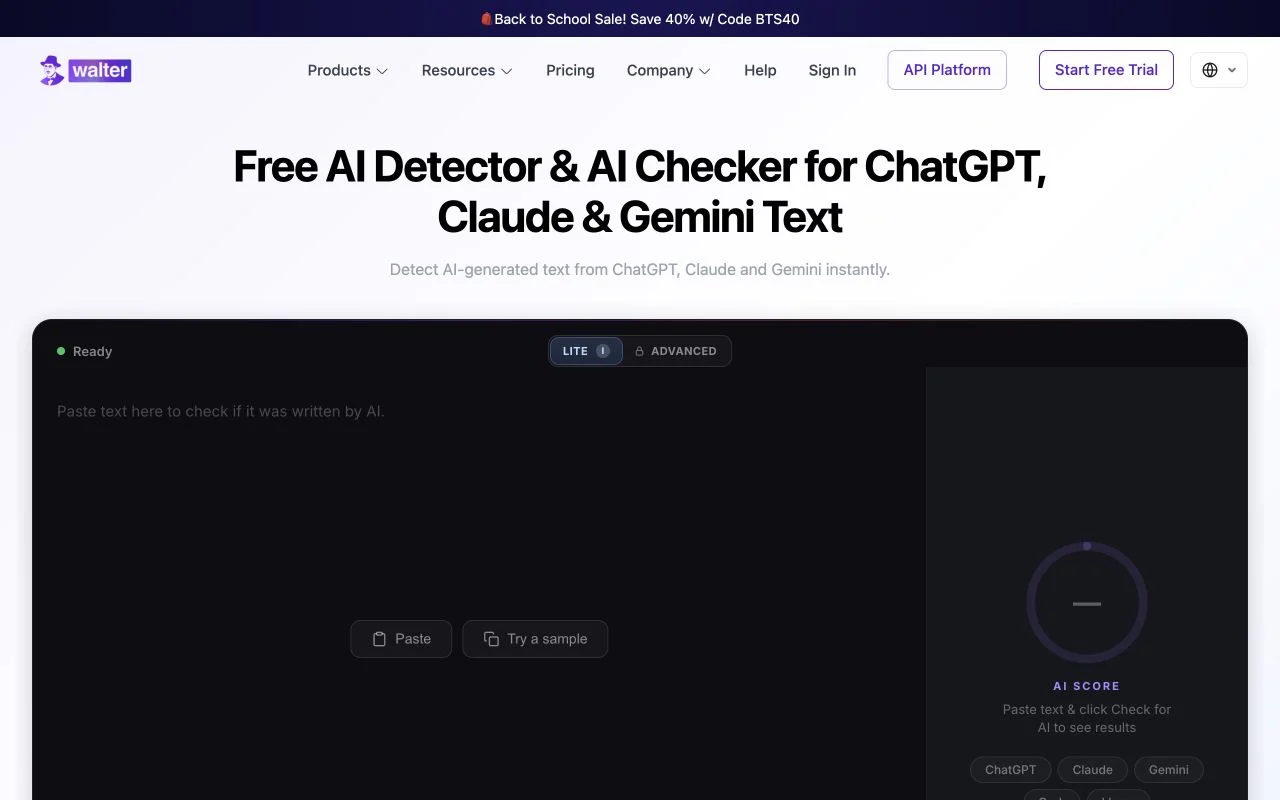
- Open the official detector. Begin at Walter’s AI detector page rather than an unofficial download or a shared-account offer.
- Submit the passage you intend to review. Check the current input instructions and confirm that the intended text is present. Keep an identical local copy.
- Read the result label. Record whether the display describes AI likelihood or human likelihood, rather than copying the number without its meaning.
- Inspect the document. Review claims, references and drafting evidence alongside the estimate. Decide which concrete question, if any, needs follow-up.
- Save useful context. Keep the date, input and completed result together. Record errors separately from valid classifications.
When checking a long document in passages, label each excerpt. Avoid presenting the result for one section as a finding about the whole file. If you later check an edited passage, preserve it as a new version so that a score change can be connected to a specific change in text.
How to use Walter for revision
Start with a clear editing objective: simplify a dense explanation, make the tone suitable for a customer, or reduce repetition in a draft. A concrete objective is easier to evaluate than asking a tool to make everything sound better.
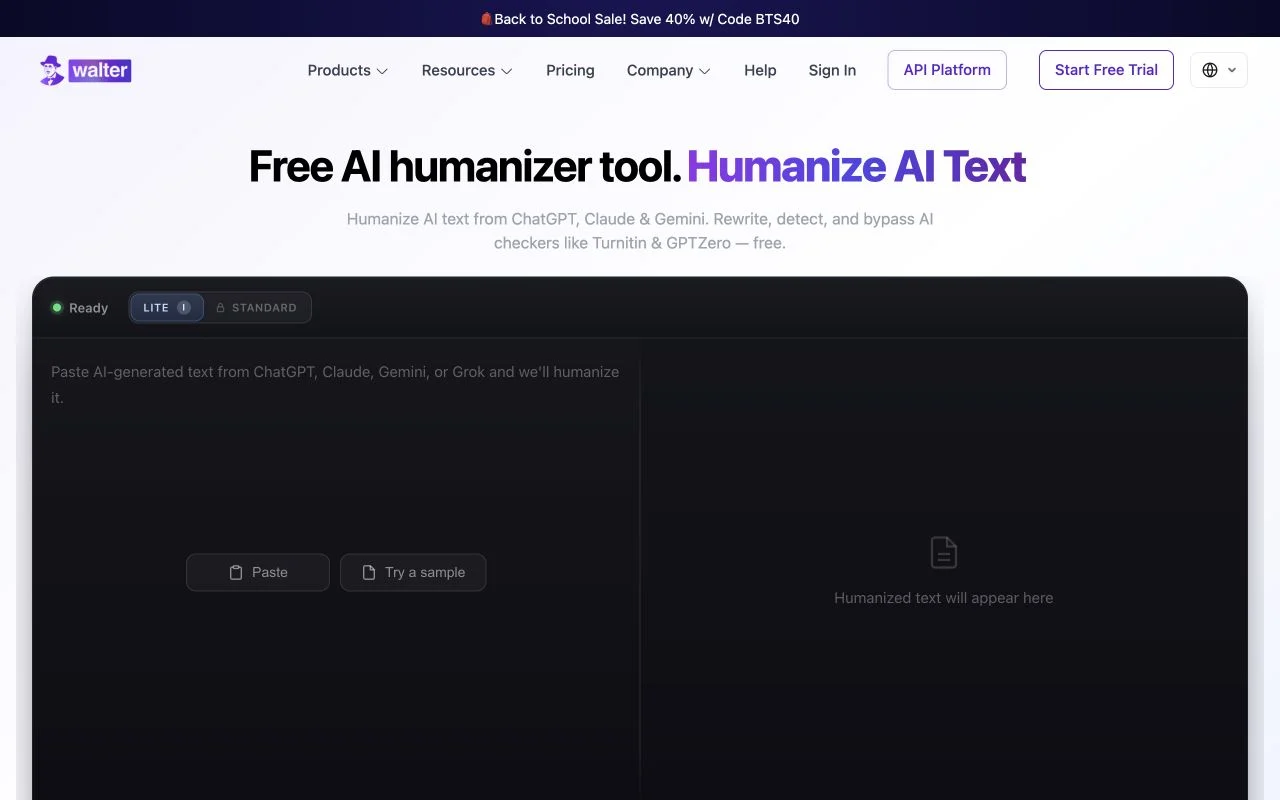
Walter’s homepage describes adjustable rewrite strength. Use the options available in your current interface and record the selected setting when comparing outputs. Review a short representative passage first, especially when the document contains specialised language or carefully qualified claims.
Read the revision beside the original. Accept useful changes selectively. Recheck any sentence containing a negation, a comparison, a date or a source attribution. The final choice belongs to the writer or editor responsible for the document, not to the fluency of the generated alternative.
Use the same objective when evaluating a second revision. Otherwise, a change in your instructions can be mistaken for a change in the product’s quality. Keep settings and sample text stable when making a comparison.
A practical quality checklist after rewriting
| Check | What to compare | When to revise again |
|---|---|---|
| Meaning | Main claim, qualifications and cause-and-effect | The revision becomes stronger, weaker or different without justification |
| Facts | Names, dates, quantities and technical terms | A detail changes or an unsupported detail appears |
| Sources | Quotations, citation markers and referenced claims | The wording no longer matches the cited source |
| Voice | Audience, level of formality and author intent | The result sounds inappropriate for the context |
| Usefulness | The original editing objective | The prose changes without solving the reader’s problem |
This checklist is an editorial method, not a detector test. A quality decision should remain understandable even if the score panel is hidden. For example, correcting a wrong name is necessary whether a classifier labels the sentence human or AI-generated.
Using Walter with academic writing
Read the assignment’s rules before using a rewriting service. Some tasks allow language assistance with disclosure; others require unaided composition or impose specific limits. Ask the relevant instructor when the rule is unclear rather than using a low detector score as a substitute for permission.
Keep source notes, original drafts and any required assistance declaration. If a report becomes part of a discussion, those records help explain the work. Turnitin’s report-review guidance places automated output alongside other information and educator judgment. Our Walter and Turnitin comparison explains why the systems’ results are separate.
What if Walter is not working?
Identify the failing action before trying to fix it. Is the page failing to load, the account unavailable, a request stuck processing, or a result missing? Record the product and time. Preserve the original input locally so that troubleshooting does not destroy the draft.
Use Walter’s official support page for the current help route. Provide the error text and the steps that led to it, while keeping credentials and confidential document contents out of public posts. A request that fails to complete should remain an error in your records, not be counted as a successful scan.
For account or subscription questions, consult the current official terms and support flow. Avoid unofficial account-sharing services or downloads promoted as a workaround. They can introduce separate access and privacy problems without explaining the original failure.
How to compare results fairly
Use the same passage, language and task across products. Record the actual result labels and preserve every attempted run, including errors. For rewriting, evaluate the revised text for meaning and sources before considering a change in detector output.
Research on detection tools and modified text explains why input changes matter to evaluation. OpenAI’s classifier notice also illustrates why an assessment belongs to a named system at a particular time. Neither gives you a universal rule for all future writing tools.
Product information for this guide was checked on November 9, 2026. The sequence above is designed to leave a clear record of the original, the action taken and the final editorial decision. For other review approaches, see our guide to checking whether text is AI-written.
How to use Walter Writes AI without losing the writing record
| Stage | Save | Decision |
|---|---|---|
| Before using the service | The original passage and the editing objective | Whether you may share this material and which product you need |
| After checking | The submitted text, date and complete score label | Which passage or claim needs closer reading |
| After rewriting | The proposed version and the changes you accept | Whether meaning, facts and citations still match the original |
| Before publication or submission | The final version and any required assistance declaration | Whether the document meets its actual brief and rules |
Give the revision a specific job
For a customer email, an objective could be “make the delivery explanation easier to understand while preserving the promised date.” For a research summary, it could be “reduce repetition while preserving the source attribution and the author’s qualification.” These are illustrative editing briefs, not claimed product outputs.
Compare the proposal against that brief rather than accepting every change because it sounds fluent. If the delivery date changes or the summary loses the qualification, restore the relevant detail. If the revision solves the reader’s problem and preserves the substance, accept it and retain the original for reference.
Editorial method: how this guide reaches its recommendation
The editorial criteria are task fit, access, interpretation and the evidence a reader needs to make a decision. Product descriptions establish available features; the examples show how to review a draft or a report. Performance conclusions require results tied to the actual samples, products and dates. Keep those measures separate when comparing any review.
Spotted an outdated product detail? Send a correction to AI Text Detector with the page address and a link to the current source.
Explore the Walter Writes guides
Frequently asked questions
How do I use Walter Writes AI?
Choose the detector for an estimate or the humanizer for revised wording. Save your original, follow the current product instructions, and review the result against the task. Keep the input and any accepted edits together.
Do I start with the humanizer or detector?
Start with the task you need. Use the detector to assess an unchanged passage. Use the humanizer when you want a proposed revision, then check the wording and meaning before accepting it.
Can I try Walter Writes before paying?
Walter’s homepage advertises a free humanizer trial, and the detector has its own free-access page. Check the relevant official product for current conditions rather than assuming every feature has the same allowance.
How do I keep citations when rewriting?
Compare citation markers, quotations and the claims attached to them before accepting the revision. Open the original source when wording changes could alter its meaning. Keep a copy of the original passage and its references.
Should I paste an entire confidential document?
First confirm that you may share the material and that the service terms meet your requirements. Use a non-sensitive excerpt for initial evaluation. Your organisation may require specific processing or retention arrangements before confidential use.
Why did my detector score change after rewriting?
The input changed, so the detector assessed different text. Record both versions and result labels. A score change alone does not tell you whether the revision is more accurate, better sourced or appropriate for submission.
What should I send support if Walter fails?
Send the product, time, exact error and the action that triggered it through the official help route. Do not post passwords or confidential text. Keep an incomplete request separate from a valid result in any test log.
How can I judge whether Walter saved time?
Compare the effort needed to finish a representative draft with and without the revision. Count the corrections still required, especially changes to meaning, facts or sources. Use the same editing objective in both workflows.